Take Control Books
Skip to navigation Skip to content
Take Control Books

Expert Advice from Leading Tech Authors

Returning customer? Please log in:

  •  

  • Catalog
  • About
  • Authors
  • FAQ
  • Blog
  • Contact
  • Account
  • Library
  • Our Stance on AI
  • Log In
  • Catalog
  • About
  • Authors
  • FAQ
  • Blog
  • Contact
  • Account
    • Log In
    • Account Help
    • Account Details
  • Library
  • Our Stance on AI
  • $0.00 0 items
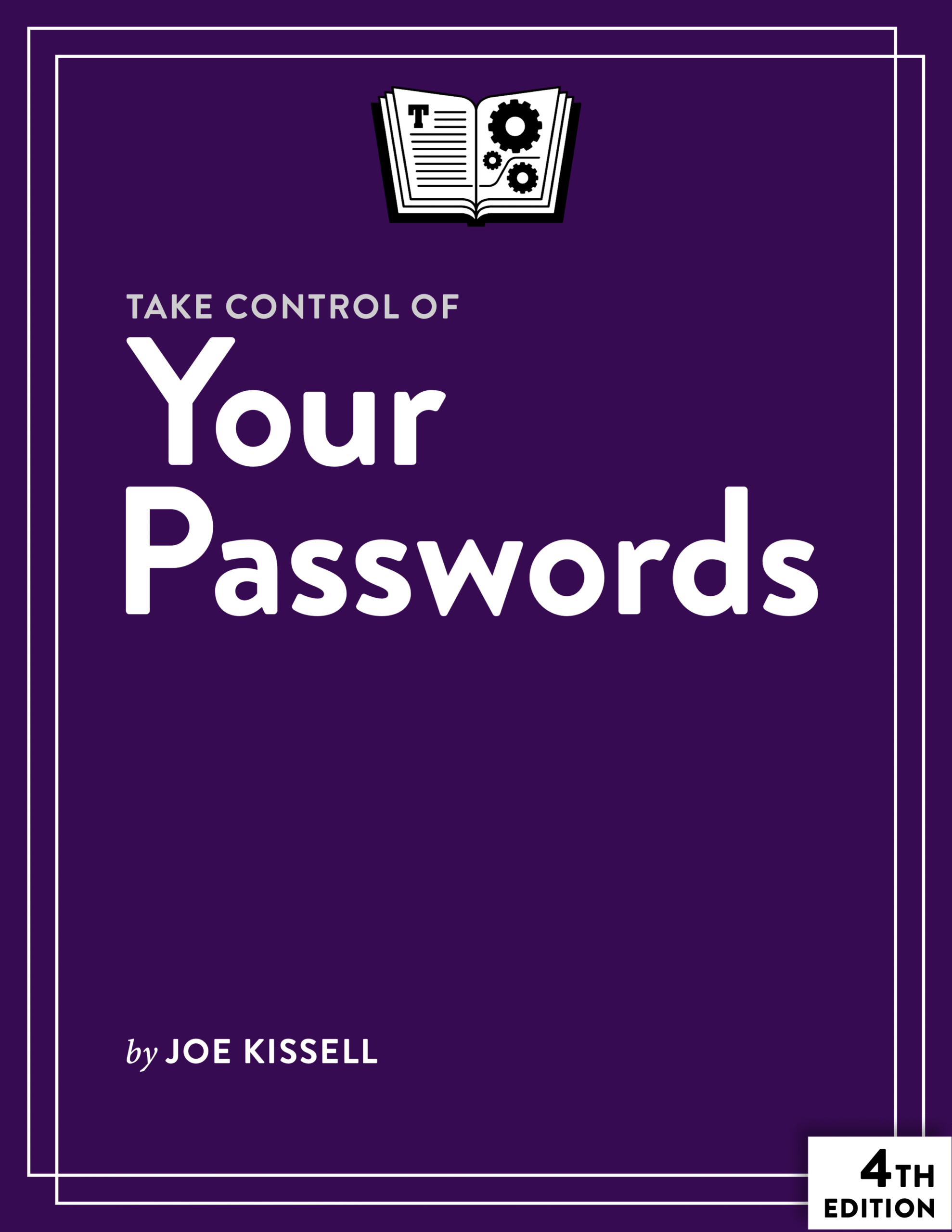
Take Control of Your Passwords cover
ISBN:978-1-990783-30-2
Version:4.3
Pages:160
Size (PDF):1.5 MB
Date:February 25, 2026
Overcome password frustration with Joe Kissell’s expert advice!

Take Control of
Your Passwords

Fourth Edition
Joe Kissell

Password overload has driven many of us to take dangerous shortcuts. If you think ZombieCat12 is a secure password, that you can safely reuse a password, or that no one would try to steal your password, think again! Overcome password frustration with expert advice from Joe Kissell!

All Take Control books are delivered in two ebook formats—PDF and EPUB—and can be read on nearly any device. We do not sell printed books.

Clear
Add book + TC Premium to cart
Download Free Sample
  • Description
  • What’s New
  • Table of Contents
  • Blog
  • Reviews (0)
  • Reader Raves

Passwords have become a truly maddening aspect of modern life, but with this book, you can discover how the experts handle all manner of password situations, including multi-factor authentication that can protect you even if your password is hacked or stolen.

The book explains what makes a password secure and helps you create a strategy that includes using a password manager, working with oddball security questions like “What is your pet’s favorite movie?”, and making sure your passwords are always available when needed.

Joe helps you choose a password manager (or switch to a better one) in a chapter that discusses desirable features and describes 10 different apps, with a focus on those that work on Mac, iPhone, iPad, Windows, and Android. The book also looks at how you can audit your passwords to keep them in tip-top shape, use two-step verification and two-factor authentication, and deal with situations where a password manager can’t help.

The book also includes complete coverage of passkeys, which offer a way to log in without passwords and are rapidly gaining popularity—but also come with a new set of challenges and complications. The book also now says more about passcodes for mobile devices.

An appendix shows you how to help a friend or relative set up a reasonable password strategy if they’re unable or unwilling to follow the recommended security steps, and an extended explanation of password entropy is provided for those who want to consider the math behind passwords.

This book shows you exactly why:

  • Short passwords with upper- and lowercase letters, digits, and punctuation are not strong enough.
  • You cannot turn a so-so password into a great one by tacking a punctuation character and number on the end.
  • It is not safe to use the same password everywhere, even if it’s a great password.
  • A password is not immune to automated cracking because there’s a delay between login attempts.
  • Even if you’re an ordinary person without valuable data, your account may still be hacked, causing you problems.
  • You cannot manually devise “random” passwords that will defeat potential attackers.
  • Just because a password doesn’t appear in a dictionary, that does not necessarily mean that it’s adequate.
  • It is not a smart idea to change your passwords every month.
  • Truthfully answering security questions like “What is your mother’s maiden name?” does not keep your data more secure.
  • Adding a character to a 10-character password does not make it 10% stronger.
  • Easy-to-remember passwords like “correct horse battery staple” will not solve all your password problems.
  • All password managers are not pretty much the same.
  • Passkeys are beginning to make inroads, and may one day replace most—but not all!—of your passwords.
  • Your passwords will not be safest if you never write them down and keep them only in your head.

But don’t worry, the book also teaches you a straightforward strategy for handling your passwords that will keep your data safe without driving you batty.

Photo of Joe Kissell

About Joe Kissell

Joe Kissell is the author of more than 75 books about technology. In 2017, he also became the publisher of Take Control Books, when alt concepts—the company he runs with his wife, Morgen Jahnke—acquired the Take Control imprint from TidBITS Publishing Inc.’s owners, Adam and Tonya Engst. Before he began writing full-time in 2003, Joe managed software development, a totally normal profession for someone with degrees in philosophy and linguistics.

In his rare non-work hours, Joe likes to walk, cook, read, and teach tai chi. He lives in Saskatoon, Saskatchewan, Canada, with Morgen and their sons. You can follow him on Mastodon (@joekissell) or Bluesky (@joekissell.com), or visit his personal website, JoeKissell.com.

What’s New in Version 4.3

Version 4.3 cleans up the book by removing references to outdated operating systems, apps, and devices; fixing broken links; and making numerous small tweaks to keep it current. Other changes:

  • Expanded and updated the sidebar “About Hashes and Salts”
  • Updated the descriptions of 1Password and Apple’s Password Tools to reflect recent changes
  • Updated pricing information for some third-party password managers
  • Added information to “Syncing Passkeys Across Devices” about apps with Credential Exchange Protocol (CXP) support

What Was New in Version 4.2

Version 4.2 covered changes in the industry, and especially at Apple, since the previous version of this book was published. Most notably:

  • In “Threat #3: Brute-Force Attacks,” added information about how encryption algorithms affect cracking time
  • Revised “Apple’s Password Tools” (previously titled “iCloud Keychain”) to cover the Passwords app introduced in macOS 15 Sequoia, iOS 18, and iPadOS 18 and provide more information on the iCloud Passwords software
  • Made numerous updates to the “Authenticate Without Passwords” chapter to reflect new passkey-related developments (and ongoing limitations)
  • Read Me First
    • Updates and More
    • Basics
    • What’s New in Version 4.3
    • What Was New in Version 4.2
  • Introduction
  • Passwords Quick Start
  • Understand the Problems with Passwords
    • Simple for You, Simple for Them
    • The One and the Many
    • The Major Threats
    • Timeworn Tricks
    • Usernames and Passwords: an Outdated Model
  • Learn About Password Security
    • What Makes a Good Password?
    • All About Entropy
    • Why a Great Password Isn’t Enough
    • What About Mobile Device Passcodes?
    • Understanding Security Questions and Reset Procedures
    • Multi-Factor Authentication
    • Authenticating with Another Site’s Credentials
  • Apply Joe’s Password Strategy
    • Figure Out Which Passwords You Must Memorize
    • Create Strong but Memorable Passwords
    • Use a Password Manager for Everything Else
    • Handle Security Questions
    • Manage Email Options
    • Deal with Exceptions and Surprises
  • Pick a Password Manager
    • Features to Look For
    • Example Password Managers
    • Joe’s Recommendations
  • Keep Your Passwords Secure
    • Avoid the “Weakest Link” Problem
    • Back Up Your Passwords
    • Prepare an Emergency Password Plan
  • Audit Your Passwords
    • Understand the Overall Process
    • Look for Weak Passwords
    • Triage Your Passwords
    • Update a Password
    • Check for Compromised and Vulnerable Passwords
  • Authenticate Without Passwords
    • How Passkeys Work
    • Operating System & Browser Integration
    • How to Create and Use a Passkey
    • Syncing Passkeys Across Devices
  • Appendix A: Use Two-Factor Authentication
    • Two-Step Verification Basics
    • Use Apple’s Enhanced Security Options
    • Use Dropbox’s Two-Step Verification
    • Use Facebook’s Two-Step Verification
    • Use Google’s Two-Step Verification
    • Use Microsoft’s Two-Step Verification
  • Appendix B: Help Your Uncle with His Passwords
    • Password Manager Compromises
    • Password Reuse Compromises
    • Password Complexity Compromises
  • Appendix C: Calculate Password Strength
    • An Aside: Doing Math with Google
    • The Entropy Formula
    • Why That Entropy Formula Is Wrong
    • Back to zxcvbn
    • Password Strength Summary
    • For Further Reading
  • About This Book
    • Ebook Extras
    • About the Author and Publisher
    • Credits
  • Also by Joe Kissell
  • Copyright and Fine Print

Joe Kissell Discusses Passwords on MacVoices

Posted by Joe Kissell on June 26, 2023

Joe Kissell joined host Chuck Joiner on MacVoices to talk about Take Control of Your Passwords, Fourth Edition.

In part one, Joe discusses the continuing importance of good passwords and what’s going on with passkeys, which promise one day to replace passwords.

In part two, Joe talks more about passkeys and discusses mobile device security.

Joe Kissell delves into passwords yet again on MacVoices

Posted by Joe Kissell on August 8, 2021

Once again, Joe Kissell joined Chuck Joiner on MacVoices to discuss passwords in the context of his recently updated books Take Control of Your Passwords version 3.2 and Take Control of 1Password, Fifth Edition.

In part one, Joe talks about passwords generally, including changes that may affect your overall password strategy.

In part two, Joe covers some of the new features in 1Password.

Joe Passes the Word about Passwords on MacVoices

Posted by Michael E. Cohen on March 30, 2016

Joe and Chuck Joiner of MacVoices sit down for a wide-ranging chat about the new edition of this book and the state of passwords in this age of multi-factor authentication, password entropy, and password managers. They discuss all the myriad ways you can improve your personal online security without having to create and memorize a new password like R>preVckEf7*fh% every few weeks.

Take Control and eSellerate Unaffected by Heartbleed Bug

Posted by Adam Engst on April 15, 2014

For anyone who is wondering, neither the Take Control Web site nor the eSellerate ecommerce site that we use for purchases were ever vulnerable to the Heartbleed bug, so you don’t need to worry about the security of your Take Control transactions or account information. There’s no reason to change your Take Control password either, although it’s always a good idea to do that if your current password is weak.

Reviews

There are no reviews yet.

Be the first to review “Take Control of Your Passwords”

You must be logged in to post a review.

I've purchased several of [Joe's] books and found them more than helpful... you have kept me from committing technocide and offing my computers and iPhone. I am going to purchase more of your books as soon as I'm finished with this email. —Michael Israel, performance artist

You may also like…

  • Take Control of Your Online Privacy cover

    Take Control of Your Online Privacy

    All Take Control books are delivered in two ebook formats—PDF and EPUB—and can be read on nearly any device. We do not sell printed books.

    Clear
    Download Free Sample
  • Take Control of Wi-Fi Networking and Security cover

    Take Control of Wi-Fi Networking and Security

    Rated 5.00 out of 5

    All Take Control books are delivered in two ebook formats—PDF and EPUB—and can be read on nearly any device. We do not sell printed books.

    Clear
    Download Free Sample
  • Take Control of iCloud cover

    Take Control of iCloud

    Rated 4.50 out of 5

    All Take Control books are delivered in two ebook formats—PDF and EPUB—and can be read on nearly any device. We do not sell printed books.

    Clear
    Download Free Sample
  • Take Control of Your Digital Legacy cover

    Take Control of Your Digital Legacy

    All Take Control books are delivered in two ebook formats—PDF and EPUB—and can be read on nearly any device. We do not sell printed books.

    Clear
    Download Free Sample
  • Take Control of Backing Up Your Mac cover

    Take Control of Backing Up Your Mac

    All Take Control books are delivered in two ebook formats—PDF and EPUB—and can be read on nearly any device. We do not sell printed books.

    Clear
    Download Free Sample
  • Take Control of 1Password cover

    Take Control of 1Password

    All Take Control books are delivered in two ebook formats—PDF and EPUB—and can be read on nearly any device. We do not sell printed books.

    Clear
    Download Free Sample
  • Take Control of Securing Your Apple Devices cover

    Take Control of Securing Your Apple Devices

    All Take Control books are delivered in two ebook formats—PDF and EPUB—and can be read on nearly any device. We do not sell printed books.

    Clear
    Download Free Sample

© 2026 alt concepts   •   Blog | FAQ | Contact | Privacy   •   RSS   •   Follow us on Bluesky • Mastodon

  • My Account
  • Search
  • Cart 0
Take Control Books

Forgot Password?

  • Login
Forgot Password?
Lost your password? Please enter your username or email address. You will receive a link to create a new password via email.
We use cookies to manage your orders and preferences. We never sell your data and we do not use third-party tracking cookies, though embedded content (such as YouTube videos) may use tracking cookies. We suggest you click Functional Cookies Only to refuse third-party, non-functional cookies.