Take Control Books
Skip to navigation Skip to content
Take Control Books

Expert Advice from Leading Tech Authors

Returning customer? Please log in:

  •  

  • Catalog
  • About
  • Authors
  • FAQ
  • Blog
  • Contact
  • Account
  • Library
  • Our Stance on AI
  • Log In
  • Catalog
  • About
  • Authors
  • FAQ
  • Blog
  • Contact
  • Account
    • Log In
    • Account Help
    • Account Details
  • Library
  • Our Stance on AI
  • $0.00 0 items
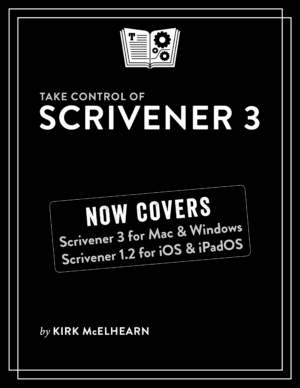
Take Control of Scrivener 3 cover
ISBN:978-1-990783-74-6
Version:1.2
Pages:184
Size (PDF):5.8 MB
Date:June 27, 2025
Create and organize writing projects with ease using Scrivener 3!

Take Control of
Scrivener 3

Kirk McElhearn

Compose a masterpiece with Literature & Latte’s Scrivener. Whether you’re writing science fiction, a historical novel, or a zombie travelogue, learn how Scrivener’s powerful tools can take your work to the next level. Kirk McElhearn shows you how to collect notes, organize your work, arrange and rearrange sections, and more. Covers Mac, Windows, and iPhone/iPad versions!

All Take Control books are delivered in two ebook formats—PDF and EPUB—and can be read on nearly any device. We do not sell printed books.

Clear
Add book + TC Premium to cart
Download Free Sample
  • Description
  • What’s New
  • Table of Contents
  • Reviews (0)

Scrivener is a powerful tool for managing long-form writing projects—like novels and screenplays—and Take Control of Scrivener 3 gives you all the details you need to know to harness its potential. In this book, best-selling author Kirk McElhearn walks you through setting up, organizing, writing, formatting, revising, and compiling a Scrivener project, whether you’re working on a Mac, a Windows PC, an iPhone, or an iPad.

Using this extensive guide, you’ll be able to:

  • Meet Scrivener: Learn about the Scrivener philosophy and its basic layout
  • Start your project: Pick a template and add existing materials to your project
  • Brainstorm and organize: Discover three different ways to work with your material using the Binder, Corkboard, and Outliner.
  • Set up your writing environment and avoid distractions: Choose default fonts and colors, opt for Script Mode if you’re writing a script or screenplay, and simplify your workspace by hiding interface elements or by using Composition Mode or Full Screen Mode.
  • Make the most of key features: Learn how to work with styles; use annotations and comments; add footnotes and endnotes; view more than one file at once; use collections to view selected items from the Binder; store bookmarks and project notes; and share and synchronize your project with others.
  • Go further with Scrivener: Get the details on special features like Scrivenings View (write in sections, but view as a single document) and Snapshots (allows you to make and view periodic backups of your text).
  • Revise and edit your work: Learn how to find and replace text, and work with revisions.
  • Use Scrivener for iPhone and iPad: Sync your projects to your mobile device and work on an iPhone or iPad.
  • Print and export: Understand the process of preparing your project to be printed, and what’s involved in compiling it so that it can be exported in a different format.

Kirk also highlights the many changes to Scrivener since the last version (see the What’s New section below), including updates to the interface, styles, outlining and metadata capabilities, and improved searching and writing features. In addition, he explains newer features like Bookmarks (lets you store references to other sections of your project), Linguistic Focus (Mac only—highlights specific elements such as dialog, adverbs, or adjectives), Section types (such as Chapter Text and Scene), and Copyholders (allows you to view three or four documents at once).

Kirk McElhearn

About Kirk McElhearn

Kirk McElhearn writes about Apple hardware and software, books, music, and more. As a Senior Contributor to Macworld for more than 15 years, he wrote hundreds of articles, including the Ask the iTunes Guy column. He is a regular contributor to The Mac Security Blog, the Literature & Latte blog, where he writes about their writing app Scrivener, and TidBITS, as well as several other websites and magazines. He is co-host of several podcasts, including The Next Track, a podcast about how people listen to music today, and Write Now with Scrivener. Visit his website Kirkville.

What’s New in Version 1.2

This small update reflects some minor interface changes in Scrivener and revises some of the information in “Learn More.” This is a minor update; there have been no new features added to Scrivener since the previous edition.

  • I’ve added links to articles that I’ve written for the Literature & Latte blog allowing you to get more information about some of the features I discuss in this book.
  • I discuss AI, highlighting how Literature & Latte has stated that the app uses no AI and does not upload data that users write in Scrivener to train AI models. I also discuss how Apple’s Writing Tools, part of their Apple Intelligence suite, are accessed within Scrivener on a Mac. See “Use AI Writing Tools with Scrivener.”
  • There are many small changes throughout the book, expanding on previous content and simplifying some areas.
  • Table of Contents
  • Read Me First
    • Updates and More
    • What’s New in Version 1.2
    • What Was New in Version 1.1.1
    • What Was New in Version 1.1
  • Introduction
  • Scrivener Quick Start
  • Call Me Scrivener
    • Understand the Scrivener Philosophy
    • Create a New Project
    • What’s Inside a Scrivener Project
    • Discover the Scrivener Window
    • Dive Right In!
  • Plan Your Project
    • Know the Key Organization Tools
    • Store Bookmarks and Project Notes
    • Add Files and Other Content
  • Write Your Masterpiece
    • Show and Hide Interface Elements
    • Go Full Screen
    • Customize Your Writing Environment
    • Work with Styles
    • Use Script Mode
    • Start Writing Your Manuscript
  • Take the Helm of Your Project
    • Manage the Binder
    • View More Than One File at Once
    • Use Annotations and Comments
    • Add Footnotes and Endnotes
    • Get Statistics, Set Targets, and View Your Writing History
    • Use the Inspector
  • Share and Sync Your Project
    • Move Projects to Another Computer
    • Sync Projects Between Computers with Dropbox
  • Revise and Edit Your Work
    • Analyze Your Work
    • Find and Replace Text
    • Take Snapshots of Your Texts
    • Work with Revisions
  • Print Your Work
    • Before You Print
    • Using the Page Setup Dialog
    • Printing from Scrivener
    • Saving as PDF from Scrivener
  • Compile Your Work for Export
    • Compile Your Draft
    • Compile for Ebook Formats
  • Meet Scrivener for iPhone and iPad
    • Get Started with Scrivener on iPhone or iPad
    • Use the Extended Keyboard Row
    • Use an External Keyboard
    • Sync with Scrivener for iPhone and iPad
    • Compile with Scrivener for iPhone and iPad
  • Learn More
  • About This Book
    • Ebook Extras
    • About the Author
    • About the Publisher
  • Copyright and Fine Print

Reviews

There are no reviews yet.

Be the first to review “Take Control of Scrivener 3”

You must be logged in to post a review.

You may also like…

  • Take Control of 1Password cover

    Take Control of 1Password

    All Take Control books are delivered in two ebook formats—PDF and EPUB—and can be read on nearly any device. We do not sell printed books.

    Clear
    Download Free Sample
  • Take Control of Podcasting cover

    Take Control of Podcasting

    All Take Control books are delivered in two ebook formats—PDF and EPUB—and can be read on nearly any device. We do not sell printed books.

    Clear
    Download Free Sample
  • Take Control of Pages cover

    Take Control of Pages

    All Take Control books are delivered in two ebook formats—PDF and EPUB—and can be read on nearly any device. We do not sell printed books.

    Clear
    Download Free Sample
  • Take Control of DEVONthink 4

    Take Control of DEVONthink 4

    Rated 5.00 out of 5
    Free!

    All Take Control books are delivered in two ebook formats—PDF and EPUB—and can be read on nearly any device. We do not sell printed books.

    Free!

    Clear
  • Take Control of Audio Hijack cover

    Take Control of Audio Hijack

    All Take Control books are delivered in two ebook formats—PDF and EPUB—and can be read on nearly any device. We do not sell printed books.

    Clear
    Download Free Sample
  • Take Control of Your Passwords cover

    Take Control of Your Passwords

    All Take Control books are delivered in two ebook formats—PDF and EPUB—and can be read on nearly any device. We do not sell printed books.

    Clear
    Download Free Sample
  • Take Control of Apple Media Apps cover

    Take Control of Apple Media Apps

    All Take Control books are delivered in two ebook formats—PDF and EPUB—and can be read on nearly any device. We do not sell printed books.

    Clear
    Download Free Sample

© 2026 alt concepts   •   Blog | FAQ | Contact | Privacy   •   RSS   •   Follow us on Bluesky • Mastodon

  • My Account
  • Search
  • Cart 0
Take Control Books

Forgot Password?

  • Login
Forgot Password?
Lost your password? Please enter your username or email address. You will receive a link to create a new password via email.
We use cookies to manage your orders and preferences. We never sell your data and we do not use third-party tracking cookies, though embedded content (such as YouTube videos) may use tracking cookies. We suggest you click Functional Cookies Only to refuse third-party, non-functional cookies.