
Internet/Networking
Showing all 15 results
-
Take Control of FaceTime and Messages
Dig into FaceTime, Messages, and Phone from the basics through the most advanced and interesting features available, including screen sharing, group calls, and sending rich messages in Take Control of FaceTime and Messages. This comprehensive book will answer every question and reveal useful features you never knew existed.
-

Take Control Live: Taming Big Tech
Learn More $69.99In this four-part, live video course, Take Control Books publisher Joe Kissell explains how Big Tech companies make your life worse—and shows you what you can do about it. Watch demos, ask questions, and learn practical steps to follow.
-
Take Control of 1Password
Annoyed by having to type hard-to-remember passwords? Let 1Password do the heavy lifting. With coverage of 1Password version 8 for Mac, Windows, Linux, iPhone/iPad, Android, and Apple Watch, author Joe Kissell shows you how to generate and enter secure passwords, speed up your online shopping, and share and sync web logins and other confidential data.
-
Take Control of Your Passwords
Password overload has driven many of us to take dangerous shortcuts. If you think ZombieCat12 is a secure password, that you can safely reuse a password, or that no one would try to steal your password, think again! Overcome password frustration with expert advice from Joe Kissell!
-

Take Control of Find My and AirTags
This book takes you inside Apple’s Find My ecosystem, a robust, privacy-protecting way to track your things, share your location (and see others’ with their permission), and aid in recovery lost and stolen devices. Find My lets you and someone else arrange to meet and see your live, updated ETA; figure out where you left your iPad (was it on a flight?!), and know that your bicycle remains firmly in place where you locked it.
-

Take Control of Apple Mail
Use Apple Mail more effectively! Email expert Joe Kissell explains what’s new with Mail for Mac, iPhone, and iPad, and how to best set up your Gmail, iCloud, IMAP, and Exchange accounts. He then shows you how to take Mail to the next level with plugins and automation, manage your incoming email, customize Mail, and solve common problems.
-

Take Control of iCloud
Apple’s iCloud service is useful but can also create headaches for the average user. In this book, Joe Kissell explains how to avoid frustrations and make iCloud work for you across all your devices.
-
Keep Safe Using Mobile Tech
The digital and “real” worlds can both be scary places. The smartphone (and often smartwatch) you already carry with you can help reduce risks, deter theft, and mitigate violence. This book teaches you to secure your hardware, block abuse, automatically call emergency services, connect with others to ensure you arrive where and when you intended, detect stalking by compact trackers, and keep your ecosystem accounts from Apple, Google, and Microsoft secure.
-
Take Control of MailMaven
Free!Discover MailMaven, a powerful new email app for Mac. This book shows you the app’s inner workings and how you can use its unique tools to manage your email more quickly and efficiently. You’ll improve your organization, automate numerous email actions, find messages quickly, and express yourself more clearly. Any Mac user who relies heavily on email but feels limited by other email apps will benefit from MailMaven and this book!
-
Take Control of Your Apple Account
The center of the Apple world is your Apple Account. This identifier ties up your access to iCloud; to purchased and streaming music, TV, and movies; and to all your devices. While an Apple Account is essential, Apple has made it difficult to navigate the many features associated with it—and particularly to troubleshoot and resolve problems that crop up. This book answers dozens of questions and guides you through solutions. It also explains how to use security, recovery, and other features tied to your Apple Account.
-

Take Control of Your Digital Storage
This book demystifies Mac storage, from mechanical hard drives to solid-state disks, and covering topics such as network-attached storage (NAS), cloud storage, repairing and managing disks, encryption, filesystems (like APFS), and managing data. It also covers using external storage on an iPhone or iPad.
-
Take Control of Your Online Privacy
Nearly everything you do say or do online can be recorded and scrutinized by advertisers, data brokers, and a long list of other people and organizations—often without your knowledge or consent. When your personal data falls into the wrong hands, you risk theft, embarrassment, and worse. But you can take steps to greatly improve your online privacy without sacrificing all your convenience.
-
Take Control of Untangling Connections
Frustrated with your peripheral cables? Tangled up in standards and compatibility? Glenn Fleishman figuratively cuts through the mess of ports, cables, and protocols. The book answers hundreds of questions and helps you troubleshoot common problems, such as identifying cable capabilities. You get all the answers on how to connect USB, Thunderbolt, Ethernet, DisplayPort, HDMI, and audio at the fastest, best, or highest-fidelity method available.
-
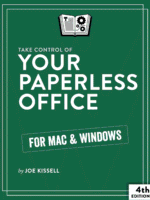
Take Control of Your Paperless Office
The paperless office doesn’t have to be a myth! Turn paper into usable digital files, reducing clutter and increasing convenience. This book helps you assess your situation, develop a strategy, and learn clever techniques for keeping more paper at bay—with detailed discussion of the hardware, software, and processes needed to get the job done.
-
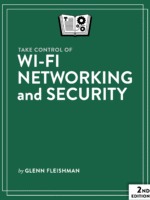
Take Control of Wi-Fi Networking and Security
Setting up and securing a Wi-Fi network can be complicated and confusing. This book helps you over every hurdle involved in picking gateways, setting up a network, adding devices, and securing the network and connected phones, tablets, and computers. It’s useful for those who have set up networks in the past and want to replace them with new gear, as well as people who have never built a Wi-Fi network before.
Showing all 15 results